Getting started with a Google My Business profile is easy, free, and very important for Local Search Engine Optimization (SEO). The importance of optimizing your Google My Business listing for a small, localized business is like being listed in the phone book in the 90’s – it is a necessity!
The big difference today, though, is that you can claim, update, and optimize your business listing yourself!
Google My Business is pretty much the center of local SEO. In fact, even as an agency that provides premium websites for small businesses, we consider this the first step in the search optimization process.
If you think you aren’t quite sure if you’re ready for a website, we respect that, but it’s 100% necessary to have a Google My Business listing. Given the number of people that use Google and the number of people that search terms like “business type + near me”, your Google My Business listing becomes critical in your online presence and sales.
HOW LOCAL SEARCH WORKS
Let’s take a look at an example of how local search works. In this example, we’re looking for a hair salon. Someone located in Duluth, Minnesota searches Google for “salon near me”.
What are the top results? What we call the “map pack” in the SEO game.
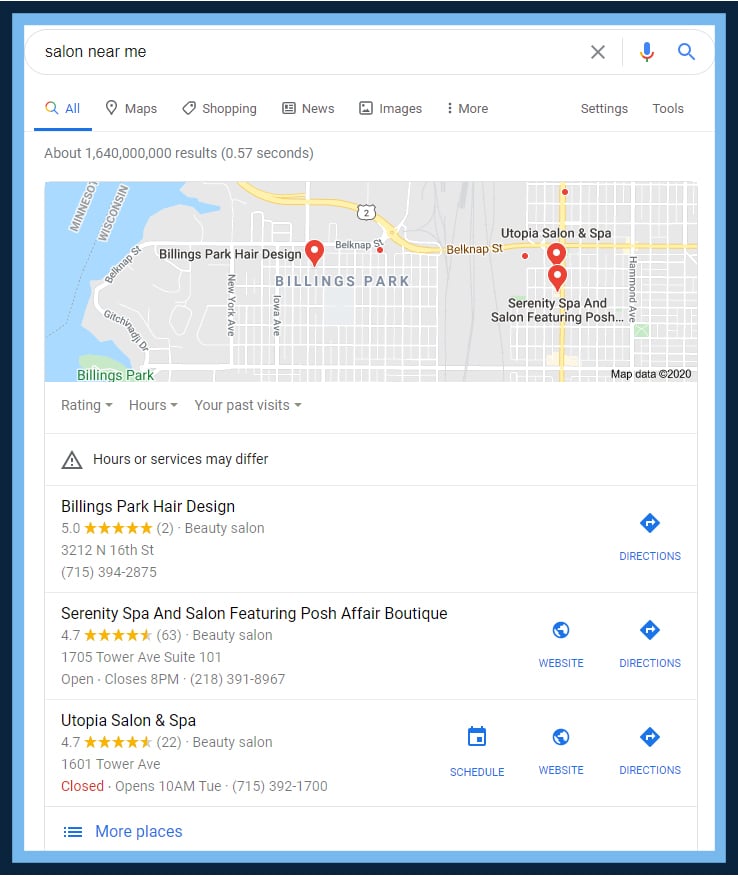
Some key aspects to note:
The result closest to the user’s current location came up first. However, the second and third options are more likely to get the click. Why? Because they have an optimized Google My Business profile, featuring:
- Links to their website and using tools like Google Appointments (the ‘SCHEDULE’ button)
- Reviews – Kudos to Serenity Spa and Salon for having over 60 reviews!
- Hours – Your customers want to know when you are open!
Below, you’ll find a guide to Google My Business setup. We wrote this guide for our current clients and thought every small business owner should have access to this guide. So, why not throw it on our website for people to follow?!
THE GOOGLE MY BUSINESS SETUP GUIDE
So, how do I update my Google My Business? Glad you asked!
1. Head to Google.com/Business
2. Search For Your Business
If you have an existing small business that has been around for a while, it’s likely that your listing will already exist, and you will have to become the owner of the listing, which will require verification – usually through a postcard that comes in the mail to your business location within 5 business days.
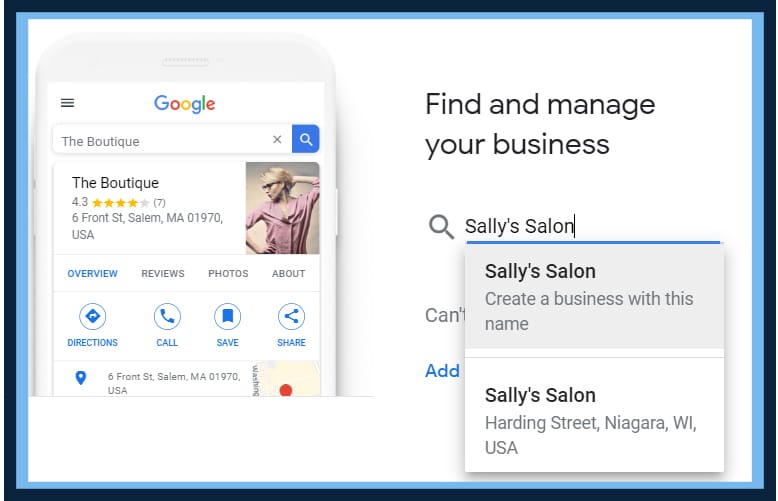
3. Find Your Business or Create It
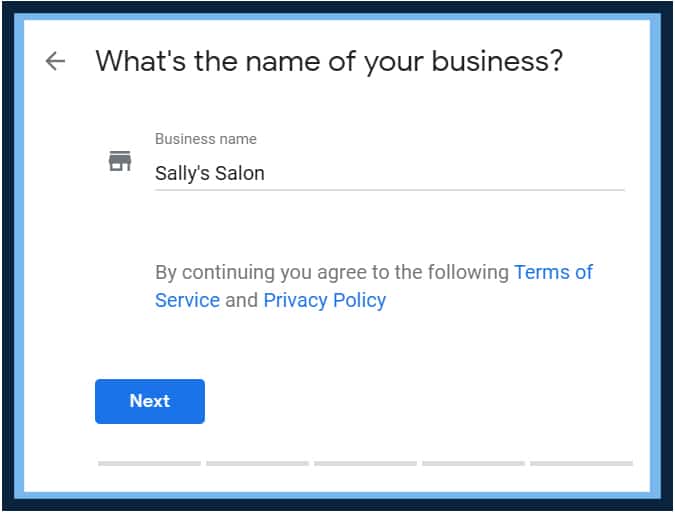
4. Enter Your Business Address
This is how you are going to verify your business location. If you have a service area business, that will be covered in the next step!
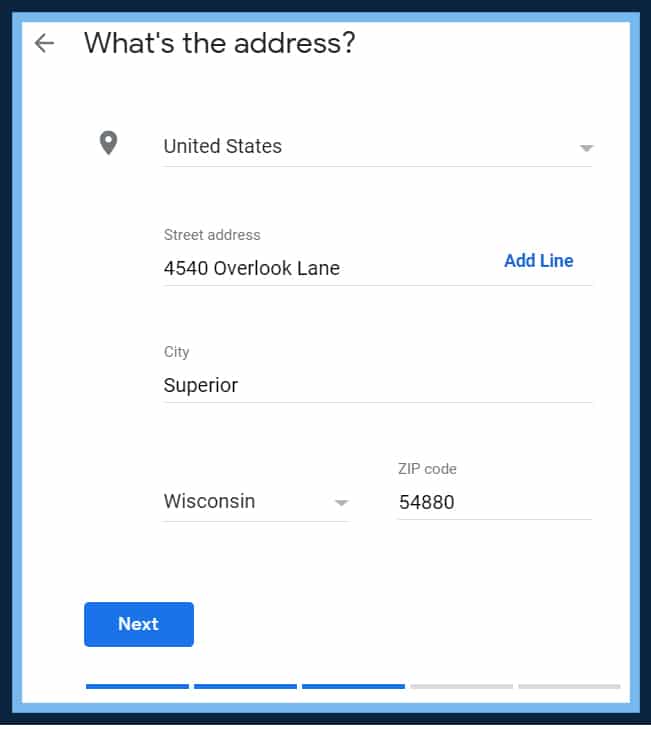
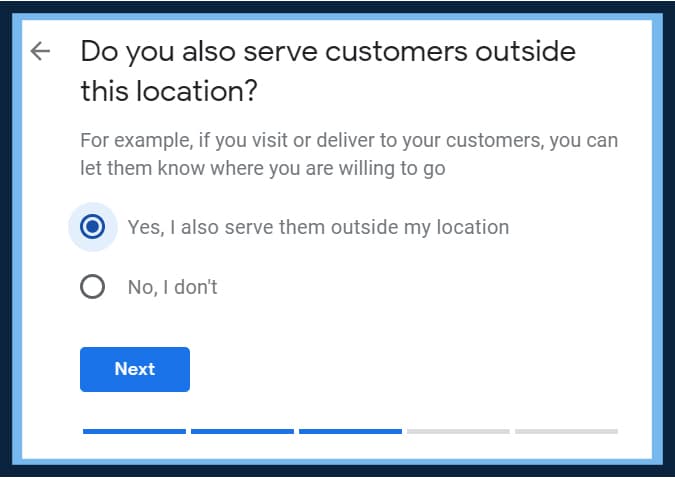
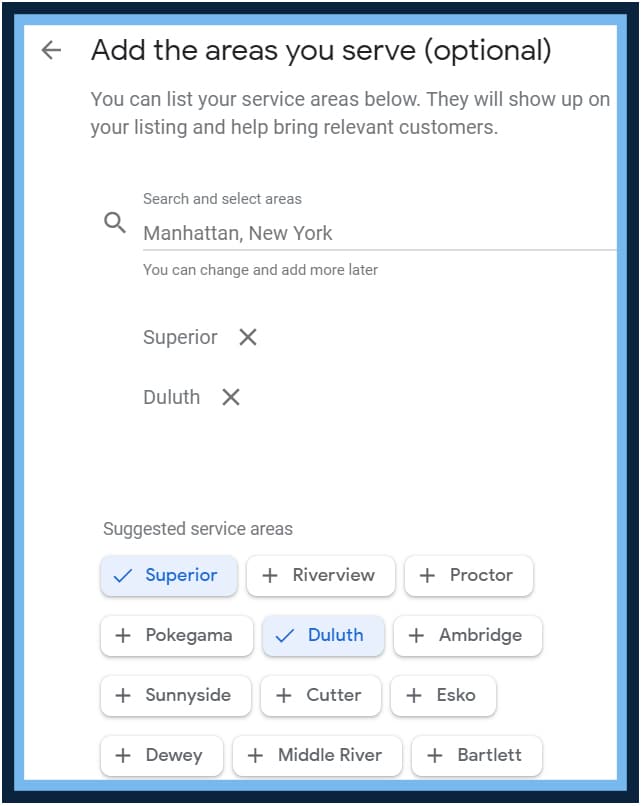
5. Service Area Businesses – Specify Your Service Area
This is a key step. Before you choose your business category, you need to specify the areas you serve. For this example, Sally’s Salon isn’t actually a service area business, but let’s just pretend that Sally’s esthetician does wedding or event makeup all around the city. In that case, we will select our service areas. This is a ranking factor, so be sure to be all-encompassing! Enter the regions, cities, and ZIP codes that your business serves.
6. Choose Your Business Category
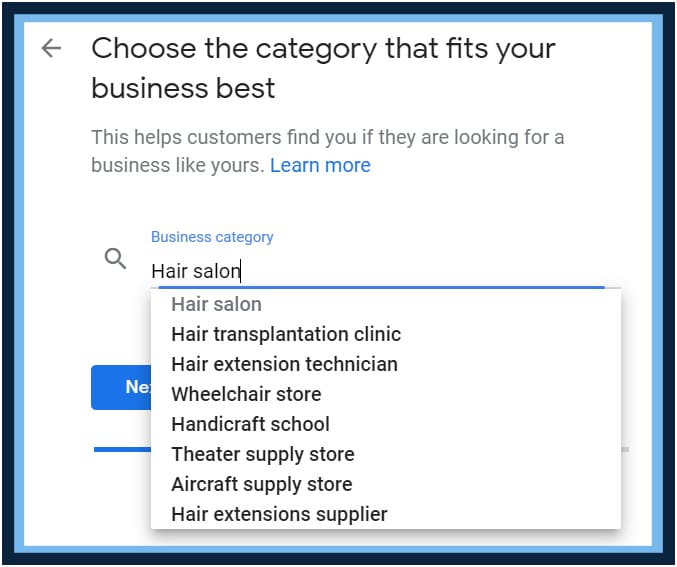
Choose the category that best fits your business. Our example is an easy one, but we will likely have to add ancillary categories once we get to our dashboard. This is an important step because it helps Google understand what type of business you are.
7. Enter Your Phone Number and Website URL
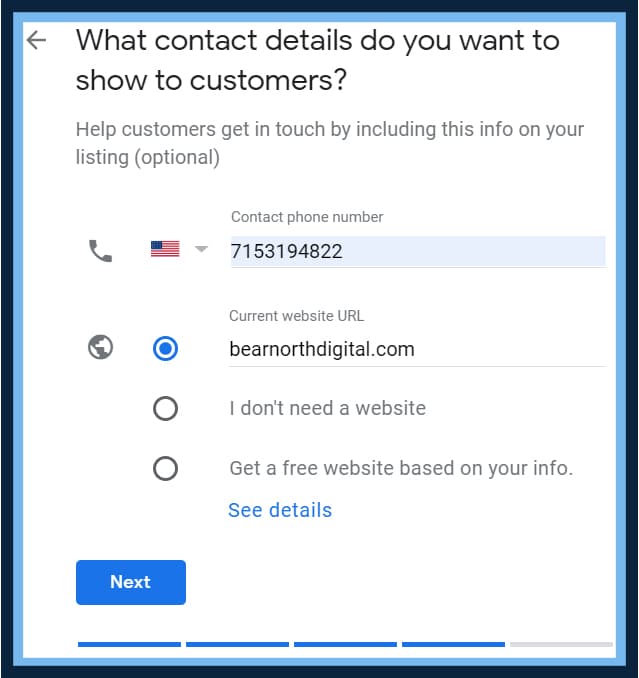
These may not be required, but they should be! Your phone number and website URL are the most likely to get clicked when your business comes up in search results, followed by directions to get to your business.
If you don’t have a website URL, hire Bear North Digital (joking – but seriously, why not?), or click “I don’t need a website” for now.
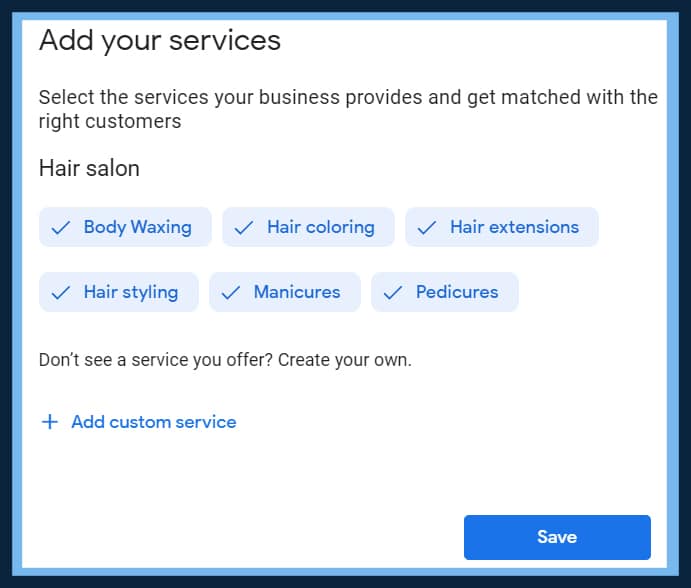
8. Add Your Services
Add all of the services that you do! Cover everything that you do. Google uses this data to serve up businesses when search queries are made.
9. Add a Business Description
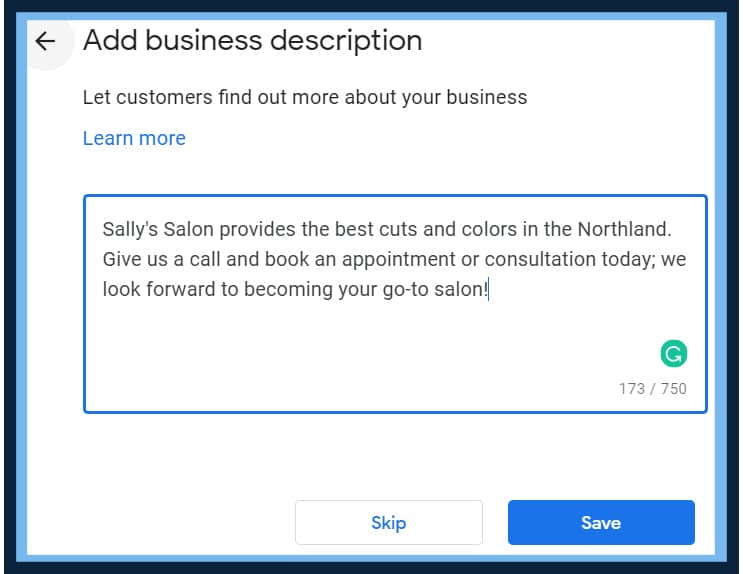
Describe your business: what you do, who you do it for, and what sets you apart from your competitors. Do your best to integrate keywords that people would likely search for. For instance, Sally’s Salon does hair colors, so it would be a good idea to add that in our description here.
It could be a bulleted list like below:
We offer the following services at Sally’s Salon:
- Hair Cuts
- Hair Color
- Makeup Application
- Brow Waxes
- Brazilian Waxes
- And more!
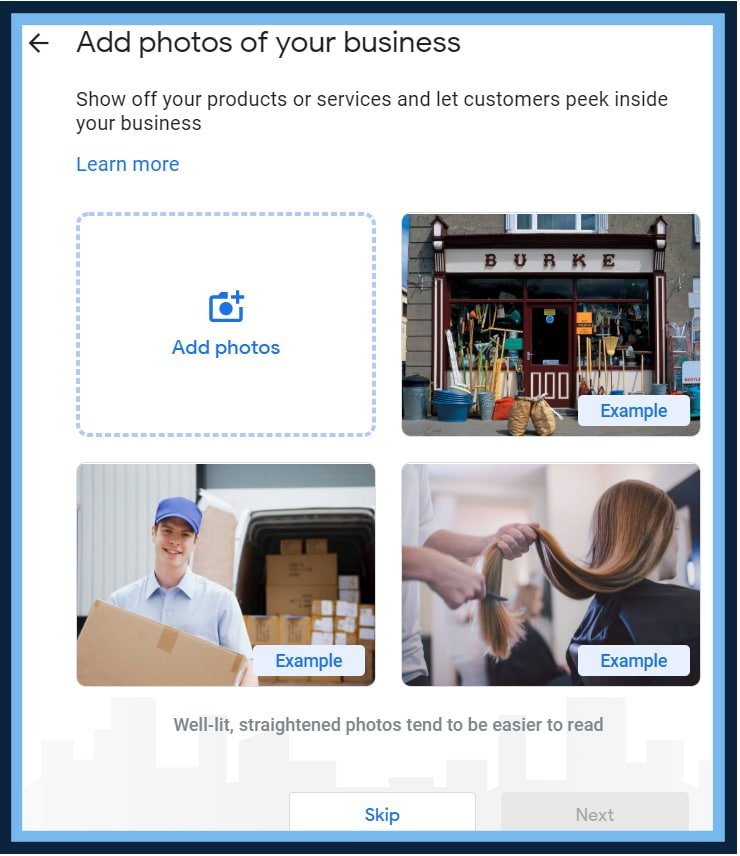
10. Add Photos
Another important and often overlooked step is adding photos. Add photos of your physical location, logos, and examples of your work! Sometimes you may need to get a little creative, but at the very least, post a few photos that help illustrate what you do, and who you are.
This can help convert prospects into customers by showing them imagery surrounding your business and what to expect as your customer.
11. Verification Stage
Google requires you to verify your business address, and verification by postcard will likely be the main option that you are prompted with. As stated before, it takes about 5 business days to arrive.
Be on the lookout for a postcard from Google that has perforated edges, and inside that card, there will be a code and a link. You’ll enter the link and code provided, and boom! – you’re in your Google My Business dashboard. Now we get to work on all of the other stuff that will bring your listing from good to great!
How to Amplify Your Google My Business Listing
Now that you’re verified and in your Google My Business dashboard, you can take advantage of all of the amazing features that help you amplify your listing and set it apart from your competition.
- Update your hours! Don’t forget to update your Google My Business listing when hours change, especially holiday hours.
- Take advantage of some of Google’s new features like Appointment Booking
- Create your first Google post. Right now, you could provide a COVID-19 update or a special that you have going on.
- Share your profile to get reviews! Reviews are critical, and they are a trust factor for your business in converting new sales.
- Add profile short name.
- Create a Google Virtual Tour of your business. This is especially enticing if you are a hotel or attraction.
- List products that you sell on your Google My Business listing.
- Create ads that drive traffic and leads to your business.
- Add My Business Listing users/managers. I always recommend this, because it can be difficult if you lose access to your Google My Business listing. By adding more users/managers, you have more accessibility, and hopefully, you can improve your listing by giving your team access
Google My Business is continuously changing and evolving, which is great for small business owners like you! If you fill out everything that you can when it comes to your business listing, it is almost guaranteed to bring results.
If you followed this guide, let the Bear North Digital team know how it worked for you!
Your Google Business Profile is just one piece of the local SEO puzzle. For a complete strategy that includes citations, reviews, and on-page optimization, explore our local SEO services. If you serve the Twin Ports area, check out our Duluth SEO services for location-specific strategies.